
After Effects Tools

Scripts, extensions and presets I built to speed up my own work, now yours too.

Script Free

RevealKit

A dockable After Effects panel that builds polished text and layer reveals in one click. Choose how each layer comes in (a mask wipe from any side, slide, fade, scale, rotation, blur or a typewriter effect), animate text letter by letter, word by word or line by line, set the timing, and RevealKit writes the keyframes and controls for you, with a matching animate-out.

  • Mask reveals from any side; change the direction anytime in Effect Controls
  • Position, opacity, scale, rotation and blur, in and out
  • Animate text by letter, word or line, one after another, in any order
  • Typewriter by letter, word or line, with a natural rhythm, pauses, a blinking cursor and trailing blur or color
  • Change timing and order later in Effect Controls, without applying again
  • Save your favorite setups as presets
  • Works on several layers at once, in a single undo
  • Install once: RevealKit updates itself
  • Optional anonymous usage stats, easy to turn off in the panel
v1.6.1 · After Effects 2020+ · Mac & Windows

Extension Free

Meo

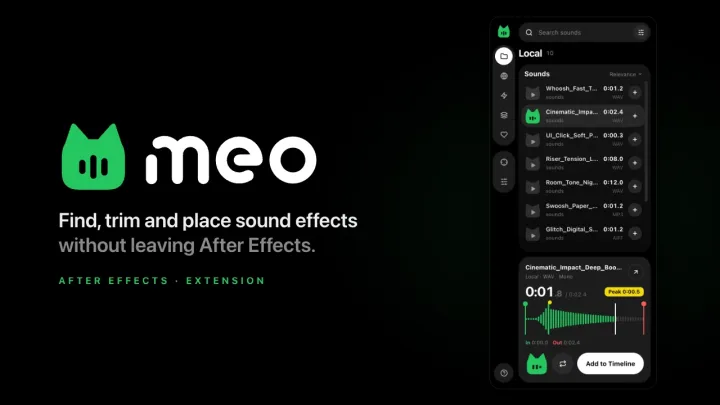
Find and place sound effects without leaving After Effects. Search your own sound folders, Freesound and MyInstants from one panel, hover a sound to hear it, trim it on the waveform and drop it on your timeline at the playhead.

  • Your sound folders, Freesound and MyInstants in one panel, or search several at once with Mix
  • Quick search: press a shortcut anywhere in After Effects to find and add a sound (Mac)
  • Hover to hear a sound, then trim it with In and Out handles on the waveform
  • Level, pitch and pan, plus a Spatial pad to place a sound left or right, near or far
  • Add at the playhead, fit to the comp or work area, line up the loudest moment, or replace the selected layer
  • Install once: Meo updates itself

v1.2.3 · After Effects 2018+ · Mac & Windows