

Find, trim and place sound effects without leaving After Effects.
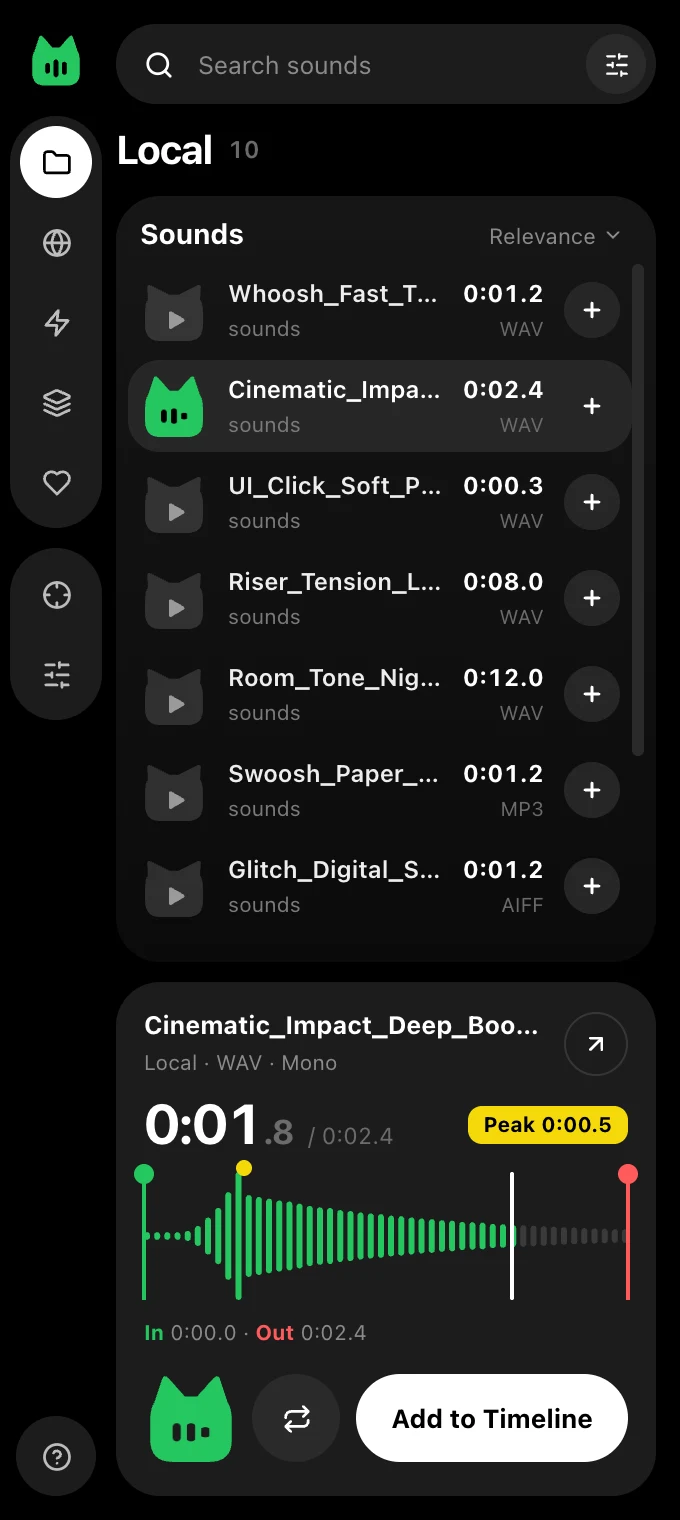
Meo is a free panel for After Effects. Search your own sound folders, Freesound and MyInstants in one place, hear a sound by hovering over it, cut it on the waveform and drop it on your timeline at the playhead.
One shortcut. Any sound. Anywhere in After Effects.
Press ⌥ Space and a small Meo search box pops up right at your mouse. You don't need the panel in front of you.
- type to find a sound by name
- ↑↓ to move through the list and hear each sound
- ↵ to add it at the playhead, and the box disappears
- ⇧↵ to replace the selected layer's sound
- esc or click anywhere else to close it
Mac for now. Pick a shortcut in Extras › Quick search, or press your own key combination.

Everything you need to sound-design faster
Built for motion designers who want the right sound on the timeline in seconds, not minutes.
All your sounds in one place
Your own sound folders, millions of free sounds from Freesound, and viral meme sounds from MyInstants, all searchable from one panel.
Hover to hear
Move your mouse over a sound and it plays. The little cat's ears pop up while it plays, so you always know what you're hearing.
Trim on the waveform
Drag the green In and red Out handles to keep only the part you want, before it ever touches your timeline.
Hits land on the beat
Meo finds the loudest moment of every sound. Place at Peak lines it up with your playhead, and a yellow PEAK marker shows it on the layer.
Level, pitch and pan
Set the volume, pitch (like speeding up a tape) and left/right balance. What you hear in the preview is exactly what you get in After Effects.
Spatial pad
Drag a dot to place a sound left or right, near or far, and set keyframes to make it move across the scene.
Fades and fit, done for you
Automatic fade in and fade out, and sounds cut to the end of your comp or work area so nothing runs over.
Replace in one click
Swap the sound on the selected layer for a new one and keep its timing. Every add is a single undo step.
Favorites and Recent
Save the sounds you love, and find the ones you used lately in the Recent list.
Search several sources at once
Mix searches your own folders and Freesound together, or any other sources you pick. Or keep it to MyInstants only.
Right-click menu
Add, replace, favorite, show the file in Finder or Explorer, or copy its path.
Install once
Meo updates itself quietly when a new version is out. You never have to reinstall it.
Keyboard shortcuts
Work without touching the mouse.
Install in a minute
After that, Meo keeps itself up to date.
Mac
- Open Terminal. Press ⌘ Space, type Terminal and press ↵.
- Paste this line and press ↵.
curl -fsSL https://bassemfekry.com/meo/install.sh | bash - Restart After Effects and open Window › Extensions › Meo.
Windows
- Download Meo and unzip it.
Download the zip - Double-click "Install for Windows". If Windows shows a warning, choose More info, then Run anyway.
- Restart After Effects and open Window › Extensions › Meo.
Give your animations a voice.
Free for everyone. Made by Bassem Fekry.